
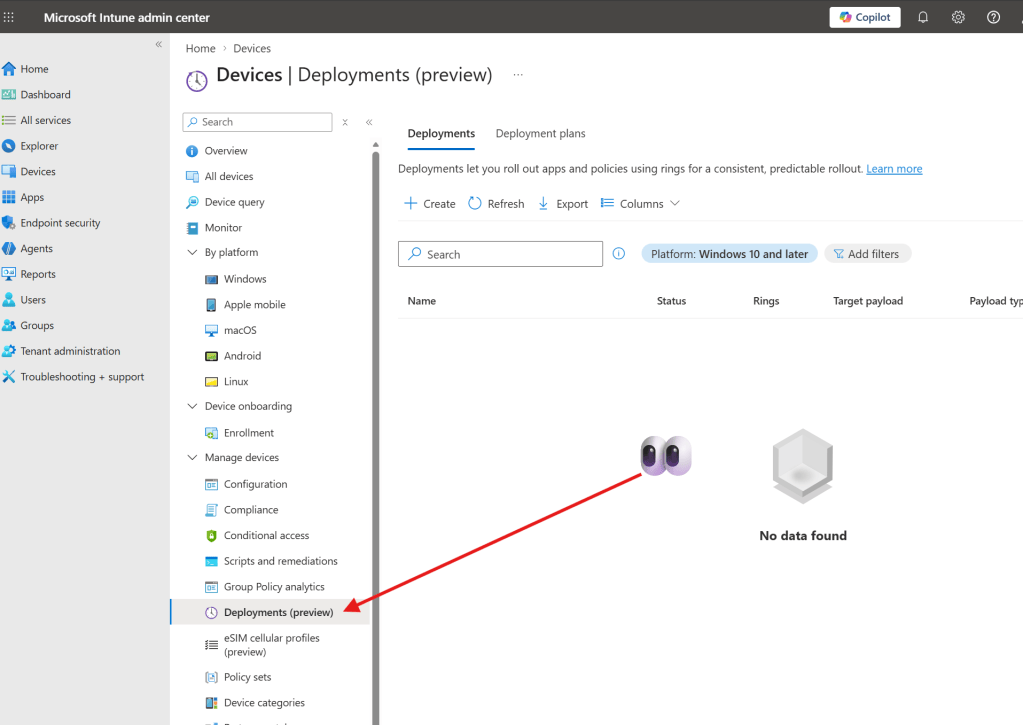
Intune deployment plans are now in public preview. Why? Because repeatedly changing group assignments to move a rollout along is a faff, and this gives us a reusable way to stage it.
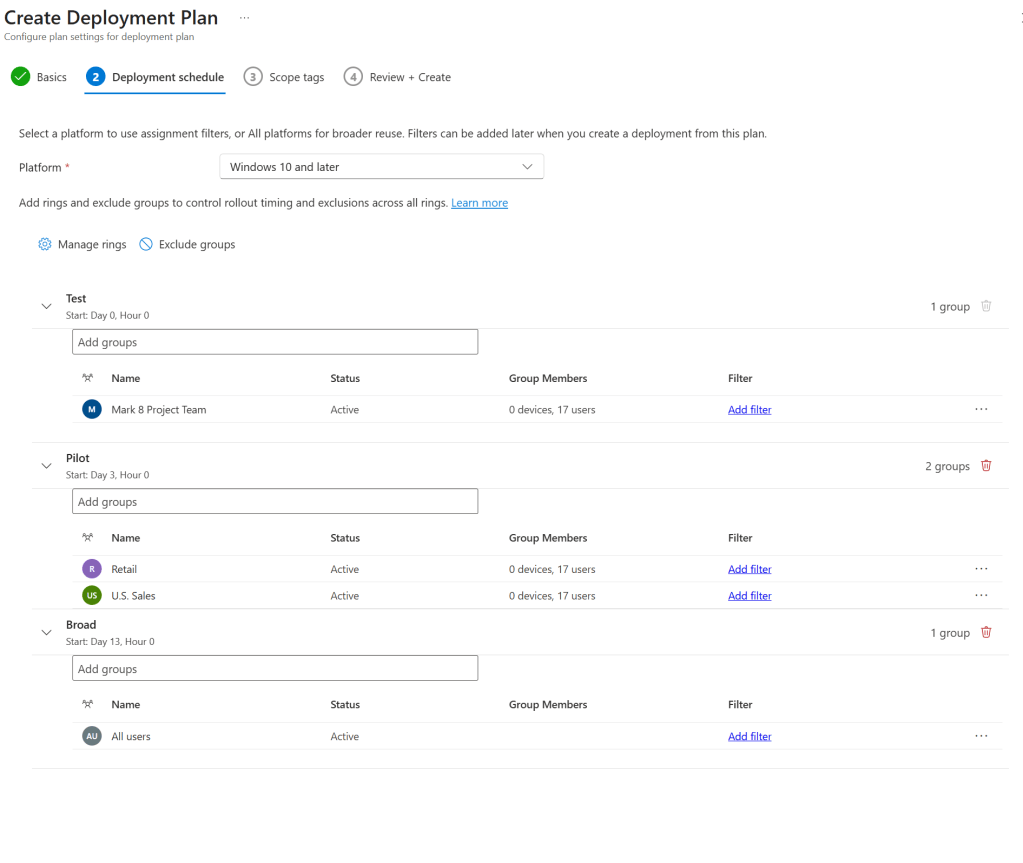
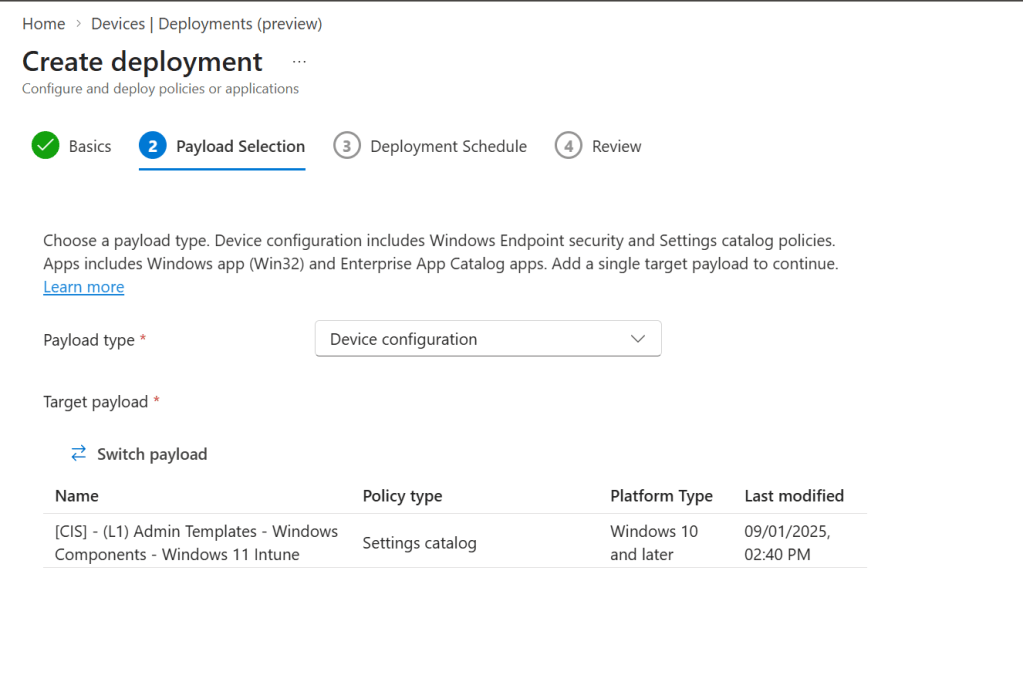
Start in Devices > Manage devices > Deployments. Create a plan with your test, pilot and broader groups, then set the wait between rings. The plan holds the rollout pattern; a deployment uses it to deliver one app or policy. I would begin with a harmless settings catalog change on test devices.
Watch out for existing assignments. They remain on the underlying app or policy, so a pre-existing broad assignment can defeat your carefully staged deployment plan. If a group assignment collides with an existing payload assignment (payload being the underlying app or policy), Intune places the deployment in an error state and prevents further rollout until the conflict is resolved.
The preview supports Windows Win32 apps, Enterprise App Catalog apps, settings catalog policies and endpoint security policies. For apps, it supports Required installations, not Available or Uninstall. Enterprise App Catalog auto-update is not supported with deployments.
This of course does not replace the need to test the payload changes yourself before you send it to your deployment plan! You can pause, resume or cancel deployments, but cancelling a deployment doesn’t automatically act as a rollback, so consider how you’ll recover devices that have already received the change.
https://learn.microsoft.com/en-us/intune/device-management/deployments/overview